
The research workbench for abliterated models.
Look inside. Compare. Measure refusal - on your own machine.




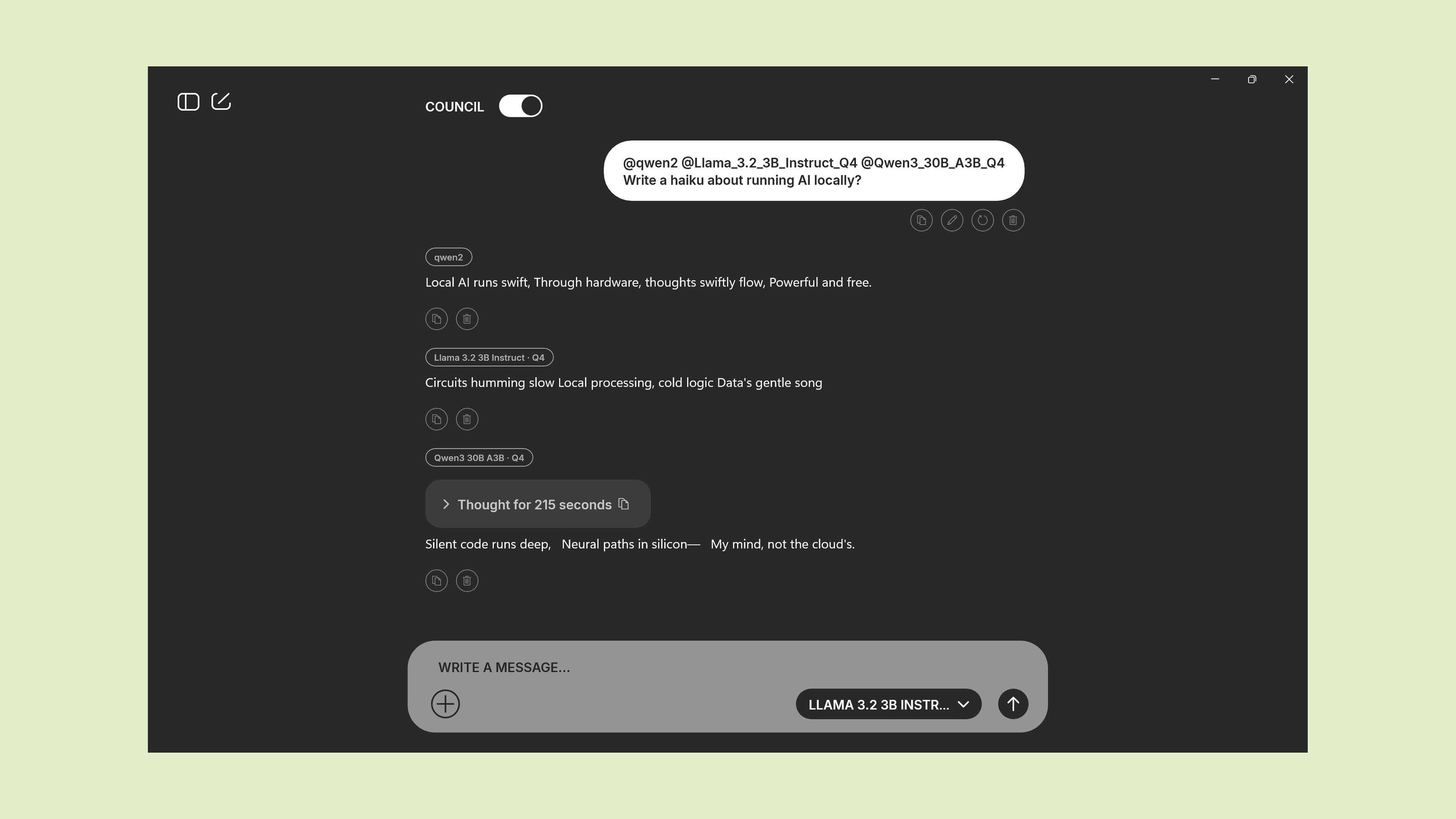
Let the models argue before they answer.
Ask the same question of two, three, or five local models at once - including the original and its abliterated variant, side by side. Where they agree is your baseline. Where they disagree is the measurement: refusal behaviour becomes visible, not asserted.
Some projects do council-style deliberation in the cloud, over hosted models. Ours runs entirely on your machine, over the models you already have - including the abliterated variant of a base model sitting next to its original. That side-by-side is where refusal behaviour becomes measurable.
Every thought, kept.
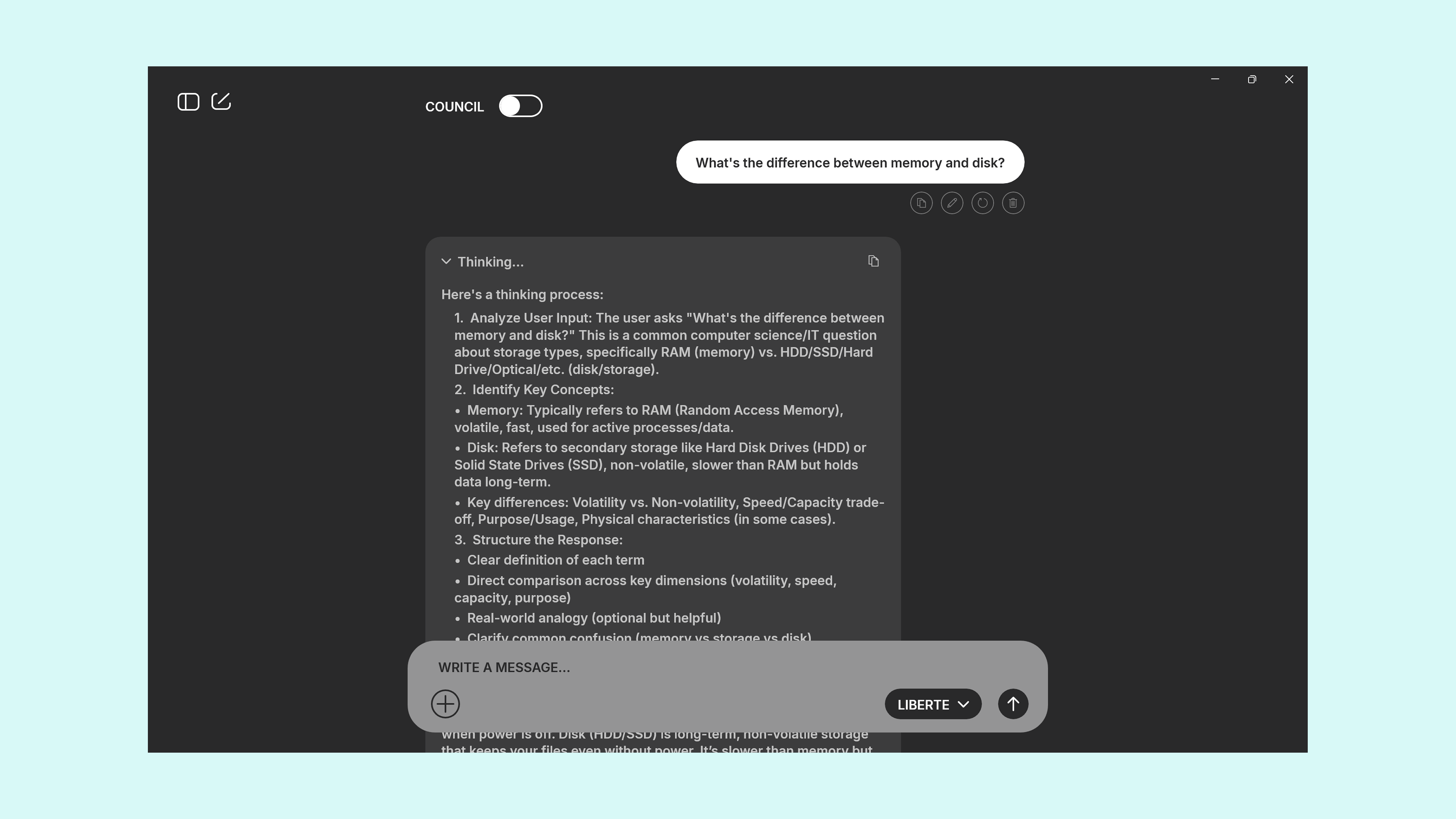
When a model is thinking, we save the thinking. Come back a week later, search it, cite it, expand it, collapse it. In every other client, reasoning is a spinner that vanishes with the answer. Here it stays as evidence.
- Full chain-of-thought per turn
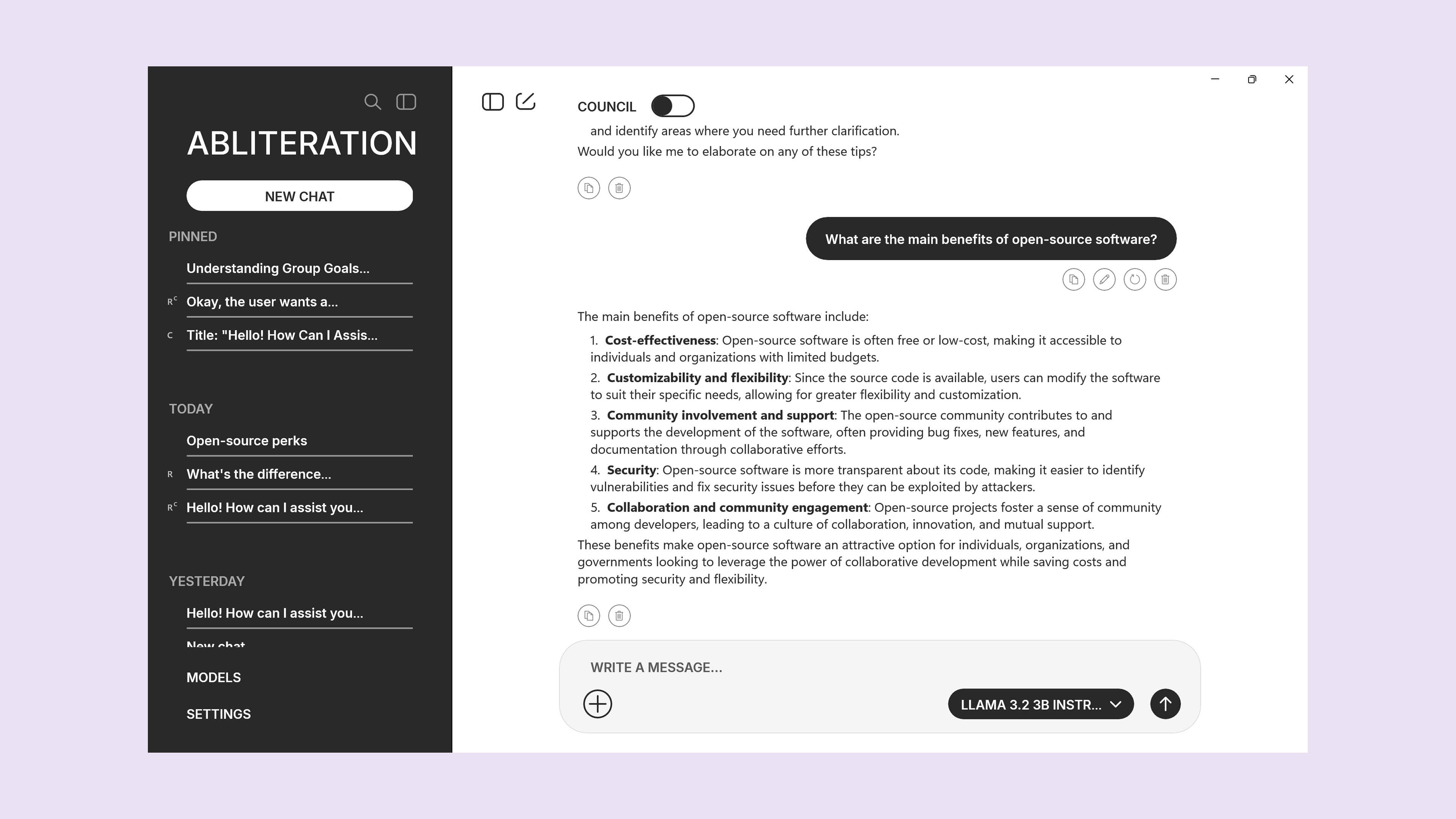
- Searchable across chats
- Collapsible so long chats stay readable
Now shipping · Next up
The app ships as an honest v1: chat and council today, research features rolling out in the next releases. No mystery timelines, no marketing fog.
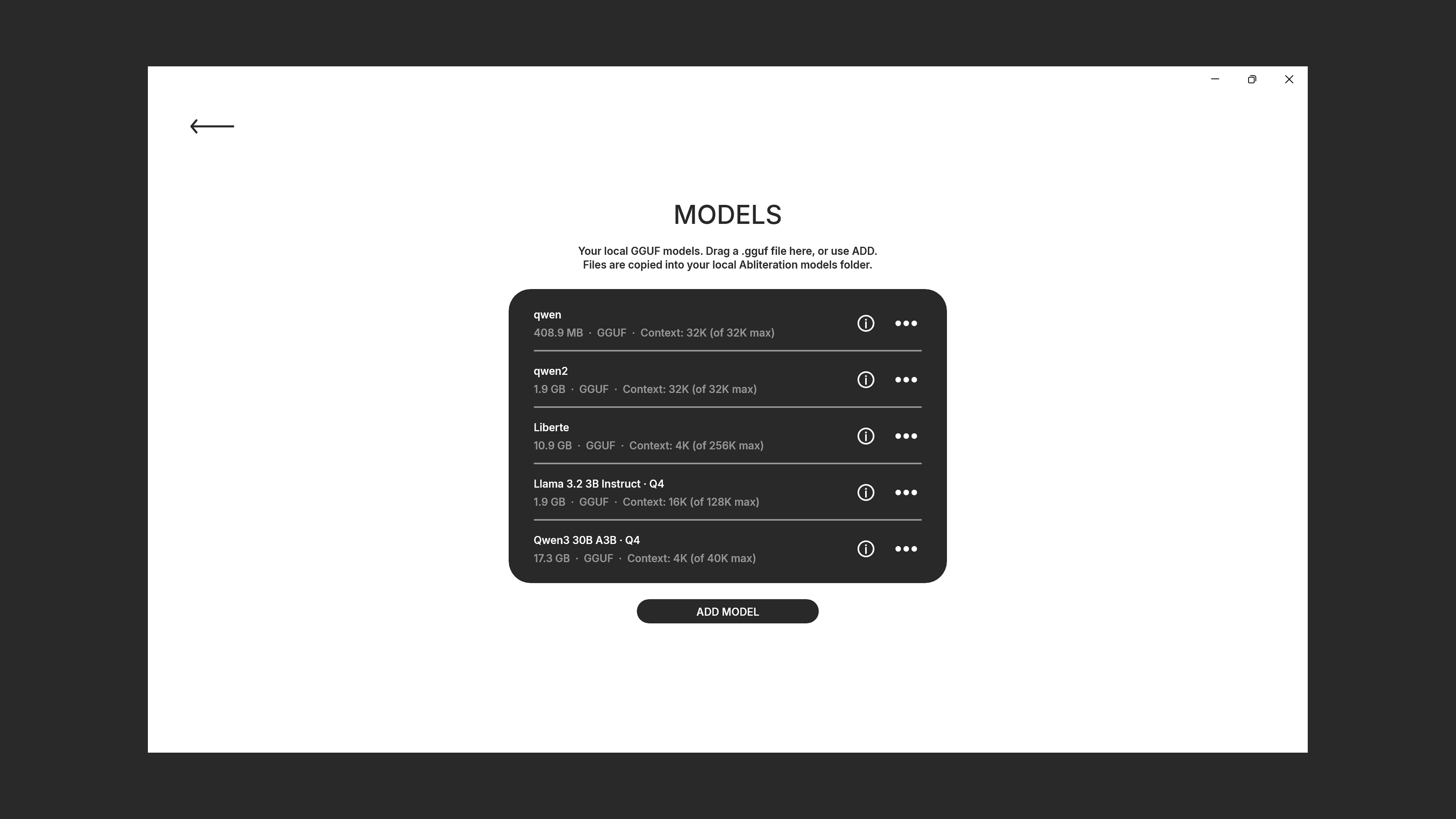
- Local GGUF models · drag & drop or ADD MODEL
- Chat · with reasoning preserved
- Council mode · multiple models argue then summarise
- Custom model names · rename, keep original filename
- Manual context size · with a live RAM check before load
- Native builds · Swift on macOS, WinUI on Windows
- Signed & notarized · verify with
spctl -a -vv - Zero telemetry, zero account · offline-capable
- Speed benchmarks against LM Studio, Ollama, Jan - published protocol, raw data on GitHub
- Logit inspection · top-N next tokens per turn, pre and post sampler
- Sampler comparison · run one prompt under two configurations side by side
- Refusal-direction diagnostic · quantify what abliteration actually removed
- Batch prompt runner · score your own prompt set across models, export CSV
- Deep link from catalog · Open in Abliteration → correct quantization for your rig
- Provenance panel · method, base model, fork ancestry inside the app
Every screen. Every setting. Every shortcut.
Full documentation for the desktop client lives at
/app/docs - installation, first launch, the Council flow, the local
HTTP bridge for catalog handoff, keyboard shortcuts, troubleshooting.
67 pages, versioned with the app.
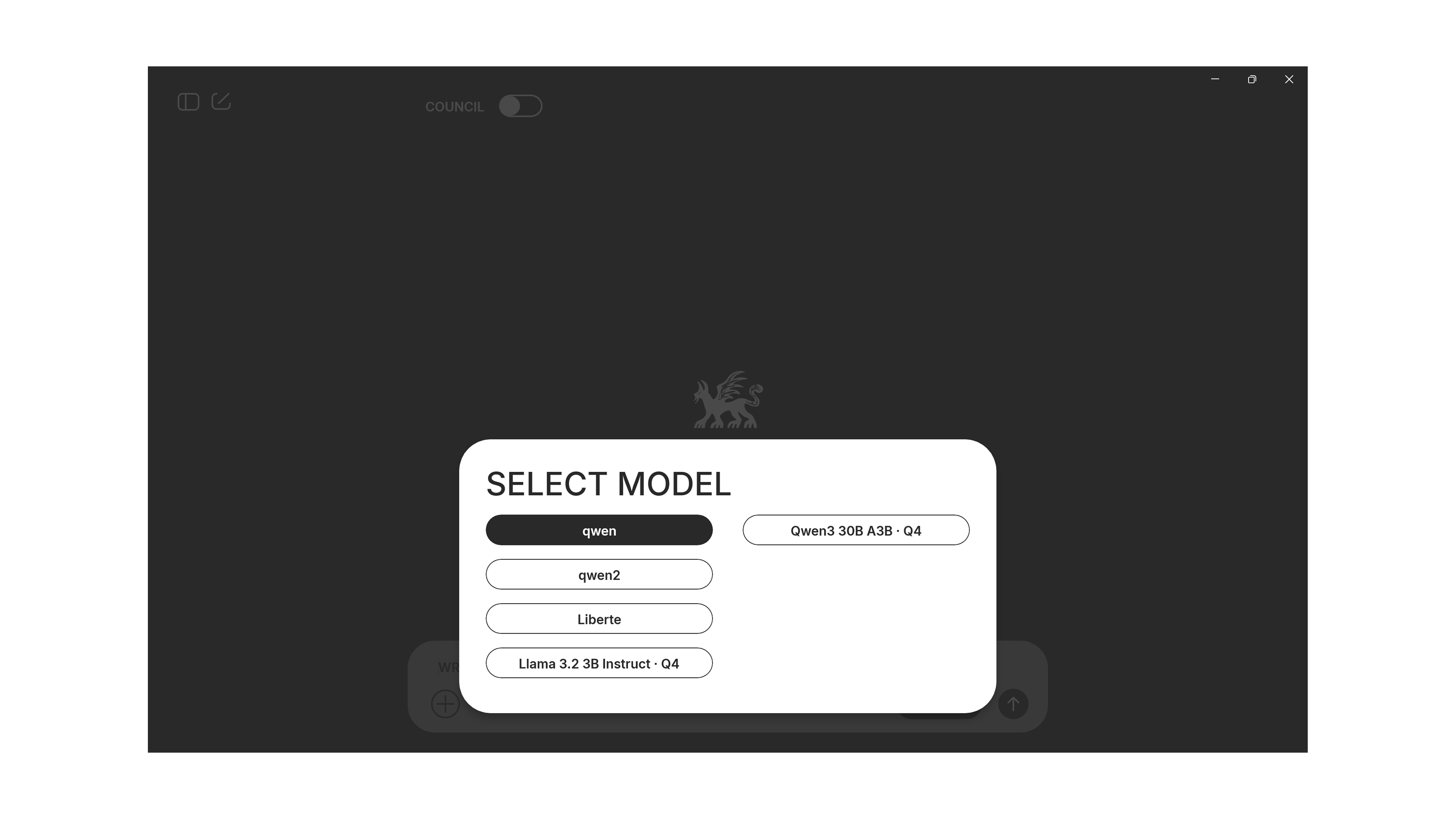
The desktop client, in six lines.
127.0.0.1:47821) so compatibility chips tell the truth.Honest benchmarks, published in full.
Every serious local-LLM benchmark ends up measuring one thing: the build of
llama.cpp underneath. We do not claim to be fastest. We do
plan to publish reproducible numbers against LM Studio, Ollama, Jan and others
- same weights (identical file hash), same protocol, same rig, full raw data on
GitHub. When the numbers ship, they land here and on arXiv.
AHPT46BBZ2. Verify anytime with
spctl -a -vv.
Abliteration for organisations: the source, not a subscription.
Buy the complete desktop codebase - Swift on macOS, WinUI 3 on Windows - under a perpetual organisational licence, with a year of updates and integration engineering included. Embed the runtime, the refusal-direction diagnostics and the batch evaluation runner in your own stack. Build, sign and distribute under your own identity, air-gapped if you need to.
- Full source and build scripts - perpetual, per organisation.
- Third-party licence bill of materials - every dependency accounted for.
- Integration statement of work - a scoped delivery, not open-ended consulting.
- Updates & support subscription - the first year included, renewable annually.
- Independent distribution & signing - outside the public stores if you need it.
- Air-gapped operation - zero-network install for regulated environments.
Built for evaluation and red-team groups in government, defence, life sciences and regulated finance.
Register interest Short form · reply within 2 business days
FAQ.
Which systems does it run on?
macOS 11 Big Sur or later, Intel or Apple Silicon. Windows 10 (22H2) and Windows 11 — direct signed installer (v1.0.3) or Microsoft Store.
Does it need an internet connection?
No - inference is entirely local. The only optional outbound traffic is user-initiated: downloading a model file the user picked (typically from Hugging Face) and following links the user clicks inside the app.
Where do my chats and models live?
On your machine, in a folder you have full access to.
macOS: ~/Library/Containers/org.abliteration.models/Data/…/Abliteration/.
Windows: %LOCALAPPDATA%\Caty\. Back up, move or delete anytime.
How is this different from LM Studio or Ollama?
Different tool for a different job. Those are general-purpose local-LLM runners: any model, any chat. Abliteration is a specialised research instrument for one thing - working with models whose refusal direction has been removed. Council mode with the abliterated variant next to its parent, refusal-direction diagnostics, provenance panel, batch prompt runner across models: the toolkit is built around the phenomenon, not around chat. General runners don't ship this because their users don't need it.
How do I verify the signature?
On macOS: spctl -a -vv /Applications/Abliteration.app should
show accepted with the developer name and Team ID
AHPT46BBZ2. On Windows the Store handles this for you.
Is the source code available?
No - the client is closed-source, licensed free of charge to end users. For organisations that need to embed or self-host the runtime, source is available under the Enterprise tier.
Why native, not Electron?
Because you can feel the difference. Cold start under a second, memory footprint in the low hundreds of megabytes, real macOS & Windows keyboard and drag-drop integration - not a browser pretending to be a desktop app.